Polymarket research bot: odds, news, X posts and a capped position
Ask one bot about a topic. It finds the Polymarket markets, reads prices, depth and price history, pulls this week's news from the web and what people post on X, and proposes a small position inside the limit you set. Nothing is placed until you approve it, and then it tracks the position for you.
 Polymarket
 Brave Search
 X
 RoutinesBuilt in
Not investment advice. Krypton is software, not a broker or adviser. Trading can lose all the money you put in, and you alone decide and answer for every order. Trading terms
Approvals. X posts always ask first, and so do trading orders unless you set a Binance or Polymarket bot to trade on its own within its limits. Other actions ask only when Approvals are on in Settings; on Never ask, the krypton.bot default, they run without asking.
Apps used
Polymarket
Finds markets, reads prices, order books and price history, checks your USDC balance, places the limit order after your approval and reports your positions.
Brave Search
Pulls this week's news on the topic so the summary cites its sources.
X
Searches the last 7 days of posts on the topic and reads the official accounts' latest posts. Read only here: the bot posts nothing.
RoutinesBuilt in
Runs the daily position check at the time you pick.
Included in Krypton, nothing to connect
How to set it up in Krypton
Connect Polymarket
In Krypton, open Integrations, pick Polymarket and paste the private key of a wallet made only for Krypton, holding only what you can afford to lose. Confirm the trading consent: your bots can place orders from that wallet, and you answer for every one.
Connect Brave Search
Pick Brave Search in Integrations so the bot can read current news. Any web search the bot has works too.
Connect X
Pick X in Integrations and paste your own X developer app keys (consumer key and secret, access token and secret); X bills your developer account per use. This bot only reads X; if you ever let a bot post, every X post waits for you to tap Allow once.
Hire the bot
Open Bot Marketplace and hire the Trading bot, or ask Chief in chat to create a research bot. Give it the Polymarket, Brave Search and X apps.
Set your trading rules
In the bot's Trading rules, pick the mode (Dry run, the default, signs the order but does not send it; Live sends real ones) and set Max per order and Max per day in USD. The bot can't change these from chat. Name a smaller cap per position, such as $25, in the prompt.
Send the topic
Paste the prompt below and change the topic and the limit. Research is read only; the bot shows prices, depth, news and the resolution rule first.
Approve or deny the order
The bot restates the exact order and the most it can lose. Nothing is placed until you tap Allow once on the approval card. Deny it, or change the size in chat, if it is not what you want.
Research Polymarket markets on the Contoso metro opening. Summarize the odds, this week's news and what people say on X, then propose one small position, $25 max. Ask me before any order, and track it daily.What the bot does
- Searches Polymarket for open markets on your topic and lists them with end dates.
- Reads each market's outcomes, prices, resolution rule, order book spread and last week's price history.
- Pulls this week's news with Brave Search and sums it up with sources, without adding facts.
- Searches X for the last 7 days of posts on the topic, reads the official accounts' latest posts and sums up the themes and tone.
- Checks your USDC balance and the live price, then restates one order inside your limit with the most it can lose.
- Waits for your approval before polymarket_place_order, then confirms the order and your open position.
- Sets a daily routine that reports the position, price and any new news. It never calls a bet advice or likely to win.
Questions
Can the bot place a bet without asking me?
Not unless you set it to. Research is read only, and every order goes through an approval card in chat that offers only Allow once or Deny, whatever your Approvals setting. The bot restates the exact market, outcome, price, shares and total first. The one exception is a Polymarket bot you set to trade on its own within its limits. Cancels ask only when Approvals are on in Settings.
Does Krypton tell me what to bet on?
No. Krypton gives no financial advice. Prices are what traders pay, not a forecast, and you alone decide and answer for every order.
How does the spending limit work?
Two layers. Max per order and Max per day in the bot's Trading rules are hard limits: orders over them are refused before they reach Polymarket, and the bot can't change them from chat. Inside those, the cap you name in the prompt, such as $25, is what the bot plans to: it checks your balance and the live price first, and the approval card shows the most the order can lose.
Is the video a real market and a real trade?
No. It is an illustration with sample data: the Contoso metro market, the prices, the news, the X posts and the order are made up to show the flow.
More use cases
All use cases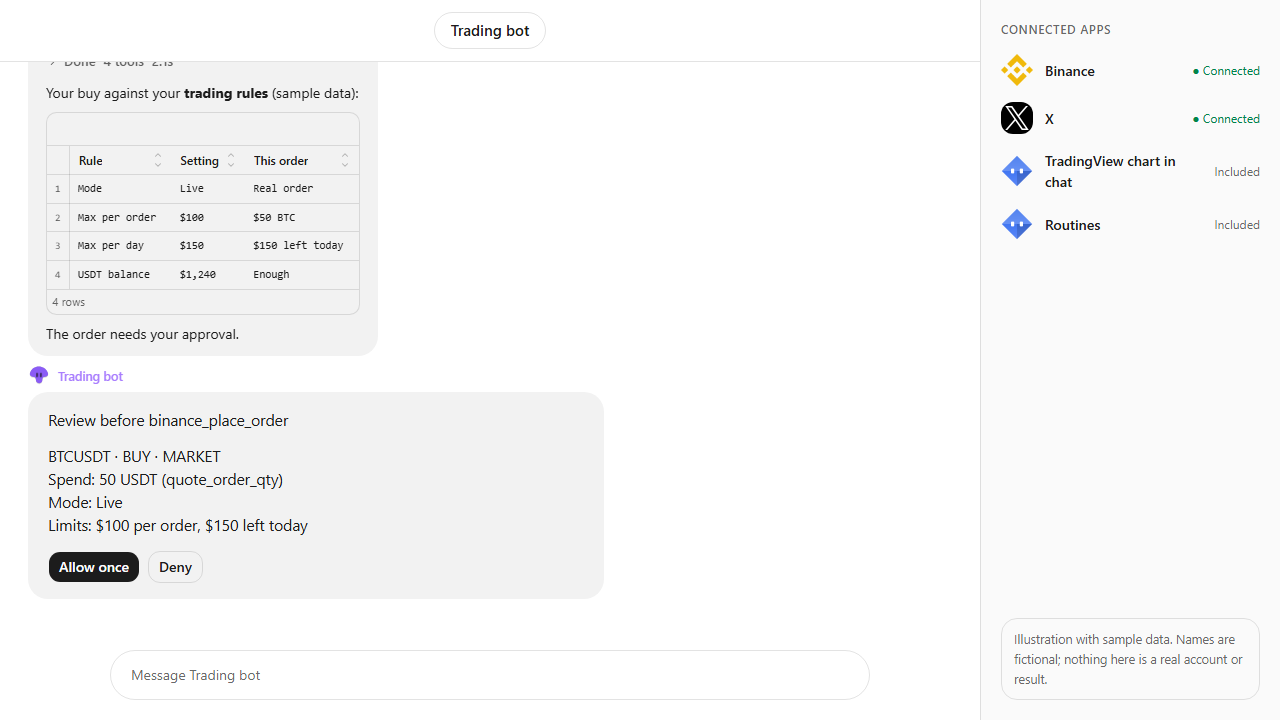
Browse every app in the MCP catalog or hire a ready-made bot from the Bot Marketplace.
Build this bot in Krypton
Start free, connect your apps and paste the prompt. X posts always wait for your OK, and so do trading orders unless you set the bot to trade on its own; turn on Approvals to review everything else first.