Store ops bot for WooCommerce: stock, products, orders and ads
One bot runs the morning store check. It reads stock and orders from your WooCommerce store, drafts better product copy, and builds a Meta Ads campaign for your best seller that spends nothing until you approve it.
 WooCommerce
 Meta Ads
 RoutinesBuilt in
Approvals. X posts always ask first, and so do trading orders unless you set a Binance or Polymarket bot to trade on its own within its limits. Other actions ask only when Approvals are on in Settings; on Never ask, the krypton.bot default, they run without asking.
Apps used
WooCommerce
Lists products and stock, reads yesterday's orders and, when you say so, saves the new product descriptions.
Meta Ads
Uploads the product photo, builds the campaign, ad set and ad paused, and launches them after your approval.
RoutinesBuilt in
Runs the same store check every morning and posts the summary in chat.
Included in Krypton, nothing to connect
How to set it up in Krypton
Connect your WooCommerce store
In Krypton, open Integrations and pick WooCommerce. Enter your store address, a WordPress username and an Application Password. Krypton checks the store's MCP server (WooCommerce 11.3 or later with the MCP Adapter) before it saves the connection.
Connect Meta Ads
Pick Meta Ads in Integrations and sign in with the Facebook account that manages your ad account. Confirm the ad spend consent: bots can build campaigns that spend from your ad account, and Meta bills you.
Hire the bot
Open Bot Marketplace and hire the Data analyst (or the Ads manager), or ask Chief in chat to create a store ops bot. Give it the WooCommerce and Meta Ads apps.
Send the morning check
Paste the prompt below and change the stock limit, budget and dates. The bot reads first, shows you drafts and a summary, and builds the campaign paused.
Approve what changes
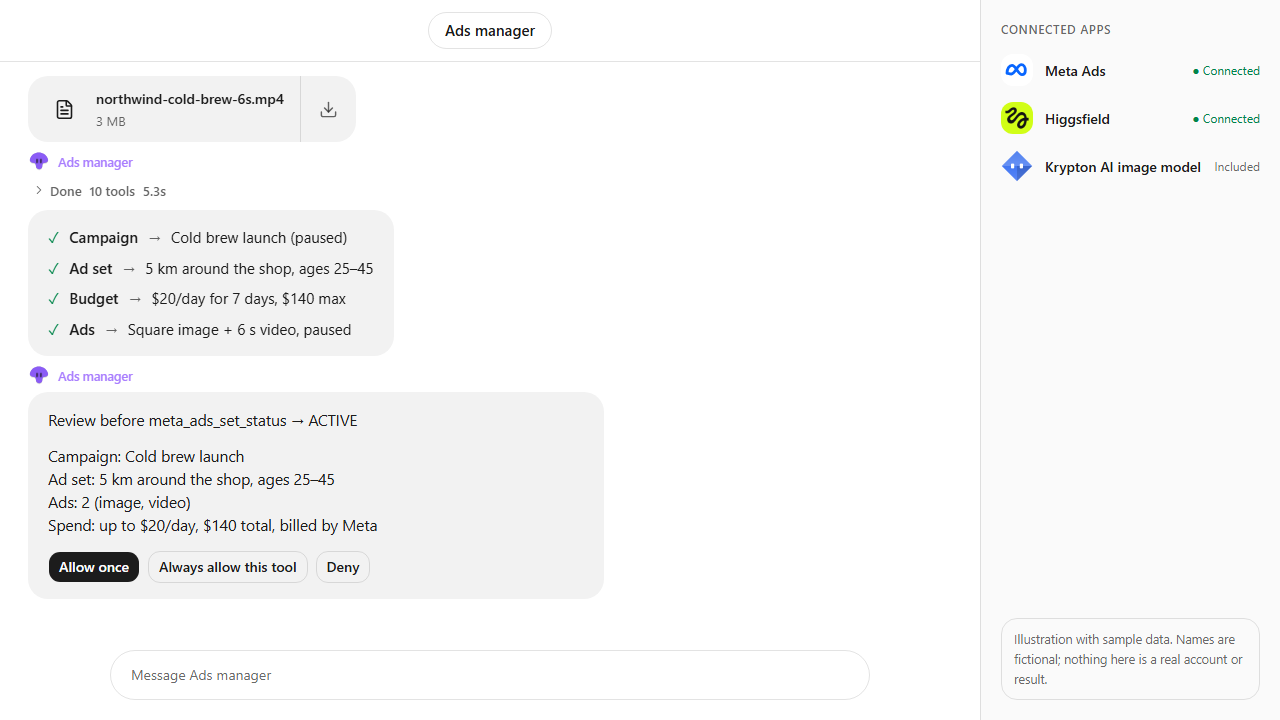
With Approvals on in Settings, product updates in WooCommerce show an approval card before they are saved, and the campaign spends nothing until you tap Allow once. The bot also builds the campaign paused and asks you in chat first.
Make it a routine
Ask the bot to run the stock and orders part every morning at 8:00, so low stock reaches you before it sells out.
Morning check for Fabrikam Outdoor: list products under 10 in stock, rewrite the 3 weakest product descriptions, summarize yesterday's orders, and set up a Meta Ads campaign for our best seller from the store's product photo, $15 a day for 5 days. Ask me before anything spends.What the bot does
- Lists your products with stock levels and flags everything under your limit, best sellers first.
- Finds products with short or thin descriptions and writes new drafts for you to check.
- Sums up yesterday's orders: count, revenue, average order and anything still unpaid or on hold.
- Takes the best seller's product photo and link from the store for the ad.
- Builds the Meta Ads campaign, ad set, creative and ad paused, and shows a preview and summary.
- Asks for your approval before anything goes active, then reports on a schedule.
Questions
Does it work with Shopify?
Not yet for running a store. Krypton's catalog has Shopify Dev, which helps developers build on Shopify, but no Shopify store admin app today. This scenario uses WooCommerce, which connects through your own store's MCP server.
Will the bot change my products without asking?
No. It shows the new descriptions as drafts first. With Approvals on in Settings, saving a product change in WooCommerce asks on a card in chat first, and you can deny it.
Can the campaign spend money without my approval?
No. The campaign, ad set and ad are created paused. The bot sets them active only after you say yes in chat (with Approvals on, also on a card), and you can say no.
Are these real store numbers?
No. It is an illustration with sample data: Fabrikam Outdoor is fictional, and the stock, orders and audience numbers are made up to show the flow.
More use cases
All use cases
Browse every app in the MCP catalog or hire a ready-made bot from the Bot Marketplace.
Build this bot in Krypton
Start free, connect your apps and paste the prompt. X posts always wait for your OK, and so do trading orders unless you set the bot to trade on its own; turn on Approvals to review everything else first.